
Best Hardware Wallets for Crypto
If you are searching for the best cold wallet, start with a hardware wallet shortlist that balances security, backups, and everyday usability. This page ranks strong options for 2026.
Editorial comparison based on publicly documented product features. It is not a security certification or an aggregate of customer reviews. Specifications and US list prices were checked July 29, 2026; taxes, shipping, promotions, and regional prices vary. Verify current details with the manufacturer before buying.
Top picks
Updated for 2026 model releases, including the latest Trezor and Ledger devices.
- #1
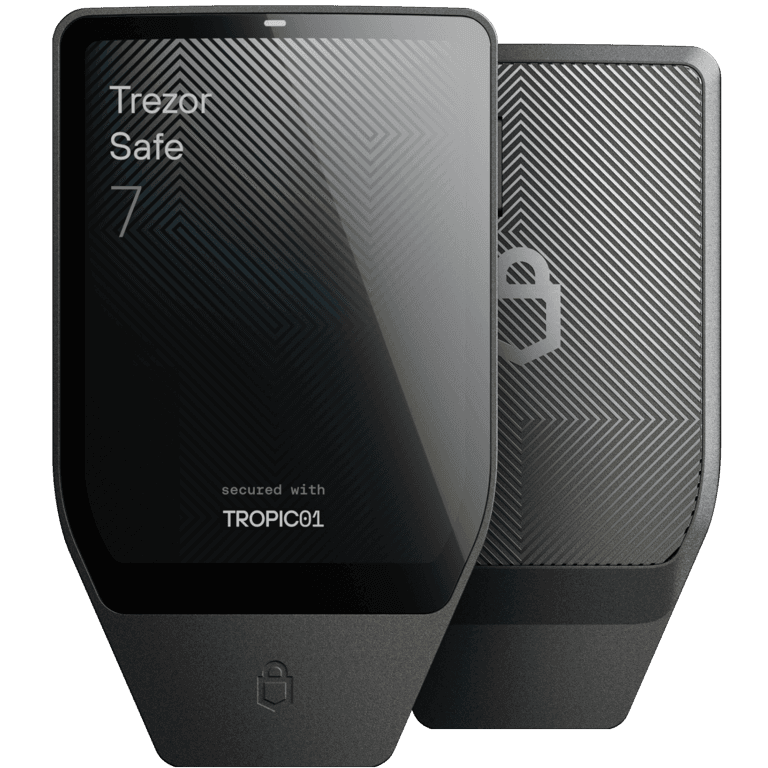
Trezor Safe 7
Latest Trezor flagship with encrypted Bluetooth and a premium on-device experience. Its post-quantum protections do not make supported blockchains quantum-proof.
Most peopleUSB-C, Bluetooth$249 USDVerify with manufacturerSecurity: Dual secure elements; post-quantum protection for boot, firmware, and device authentication
Backup: 12-, 20-, or 24-word backup; passphrase and multi-share options
- #2
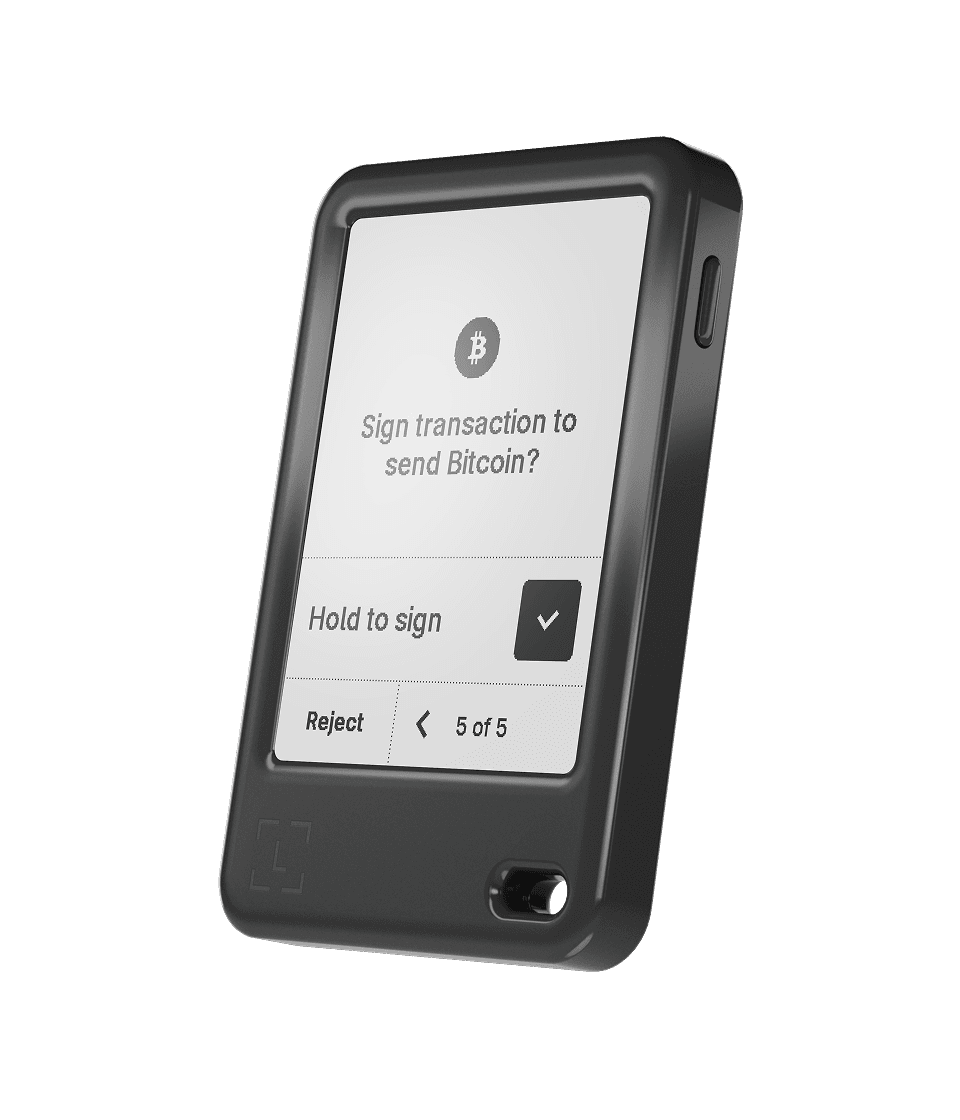
Ledger Nano Gen5
Latest Ledger Nano model for users who want touch navigation in a compact format.
Mobile-first usersUSB-C, Bluetooth; NFC for Recovery Key and Security Key$179 USDVerify with manufacturerSecurity: Secure element + Ledger OS; Clear Signing on supported transactions
Backup: Recovery phrase; Ledger Recovery Key included; optional Ledger Recover
- #3
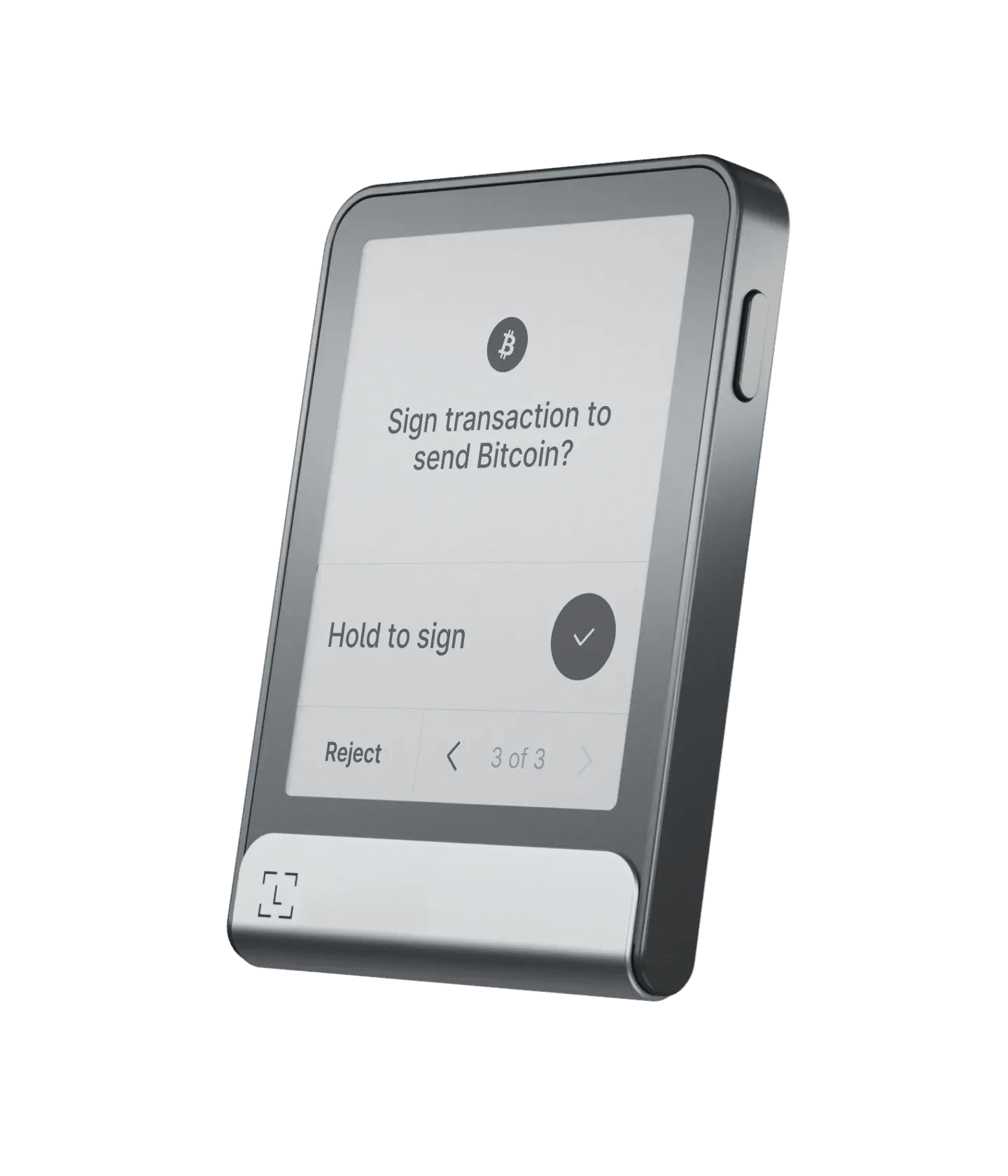
Ledger Flex
Modern Ledger touchscreen with easy review/sign flow and strong mobile usability.
Users who want a larger touchscreen signerUSB-C, Bluetooth; NFC for Recovery Key and Security Key$249 USDVerify with manufacturerSecurity: Secure element + Ledger OS; Clear Signing on supported transactions
Backup: Recovery phrase; Ledger Recovery Key included; optional Ledger Recover
- #4
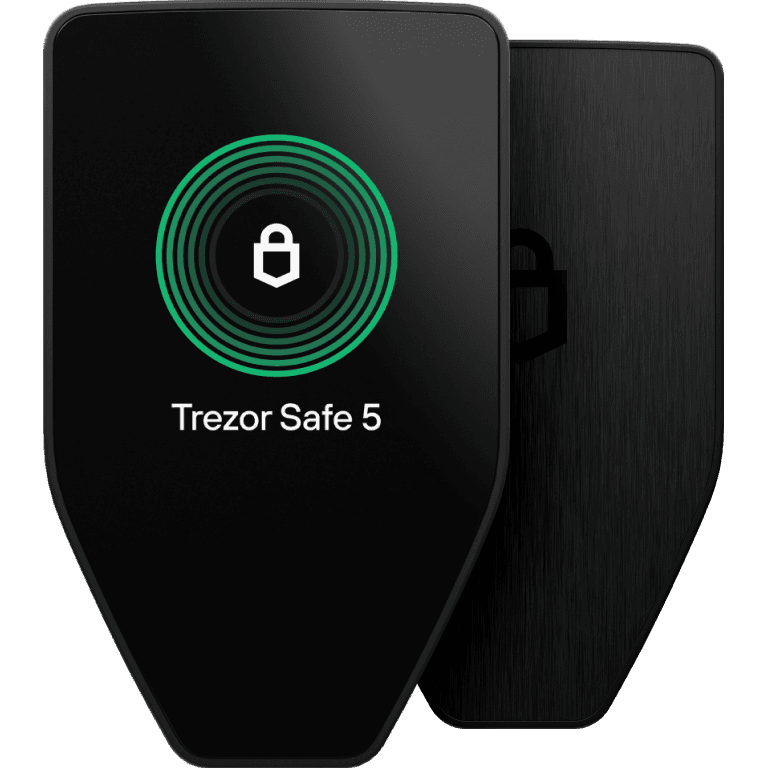
Trezor Safe 5
Premium touchscreen and mature backup flow. On iOS, Trezor documents view, buy, and receive support—not full transaction management.
Security-focused long-term holdersUSB-C$129 USDVerify with manufacturerSecurity: Open-source wallet stack with advanced on-device confirmations
Backup: 12-, 20-, or 24-word backup; passphrase and multi-share options
- #5
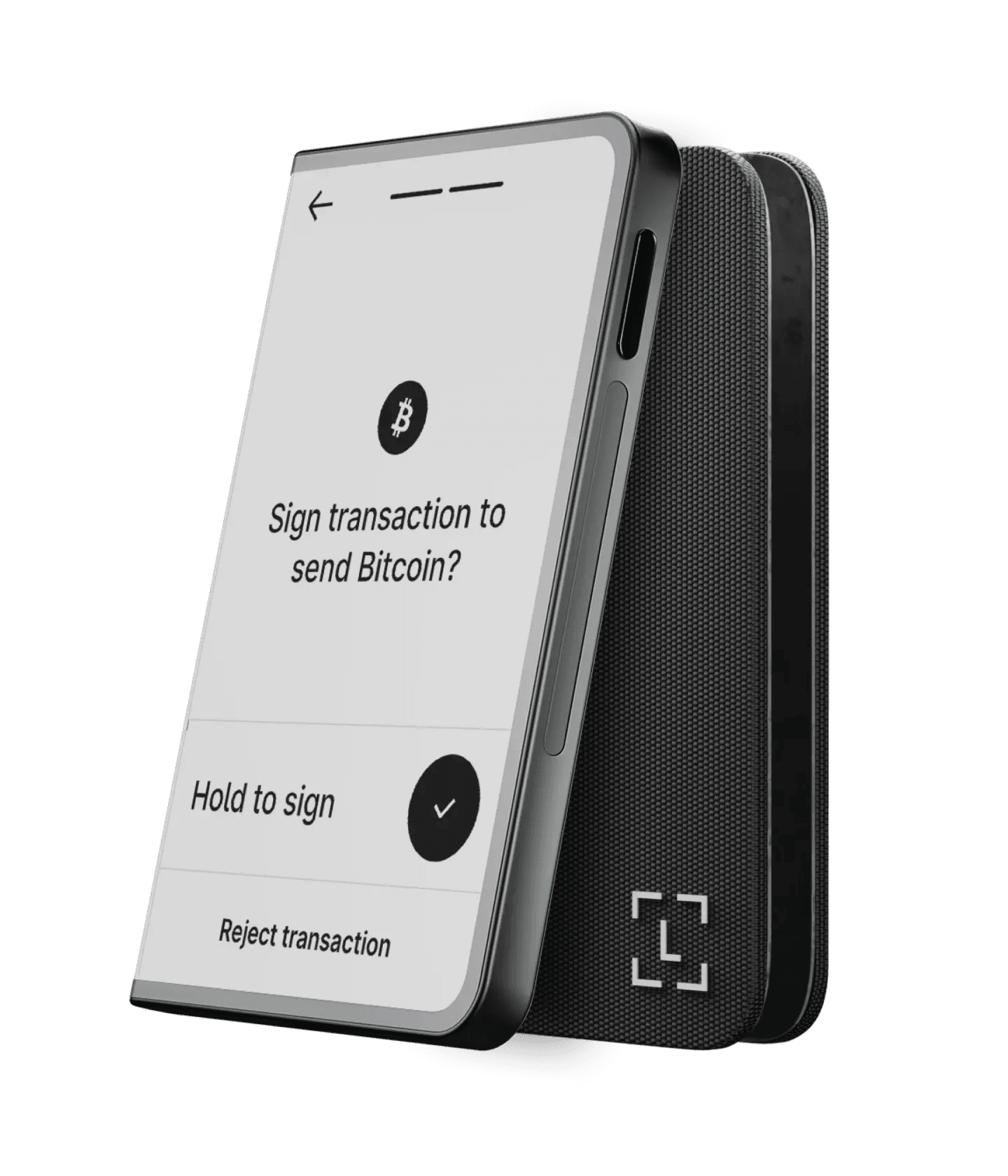
Ledger Stax
Flagship Ledger device with larger display for easier address and transaction review.
Premium touchscreen experienceUSB-C, Bluetooth, Qi charging; NFC for Recovery Key and Security Key$399 USDVerify with manufacturerSecurity: Secure element + Ledger OS; Clear Signing on supported transactions
Backup: Recovery phrase; Ledger Recovery Key included; optional Ledger Recover
Quick comparison
| Wallet | Best for | Connectivity | Price |
|---|---|---|---|
| Trezor Safe 7 | Most people | USB-C, Bluetooth | $249 USD |
| Ledger Nano Gen5 | Mobile-first users | USB-C, Bluetooth; NFC for Recovery Key and Security Key | $179 USD |
| Ledger Flex | Users who want a larger touchscreen signer | USB-C, Bluetooth; NFC for Recovery Key and Security Key | $249 USD |
| Trezor Safe 5 | Security-focused long-term holders | USB-C | $129 USD |
| Ledger Stax | Premium touchscreen experience | USB-C, Bluetooth, Qi charging; NFC for Recovery Key and Security Key | $399 USD |
Trezor vs Ledger
Trezor
- Fully open-source firmware
- Post-quantum protection for Safe 7 device boot, firmware, and authentication
- Strong privacy (no mandatory account)
- Excellent recovery workflow
- Advanced Multi-share Backup support
- Trezor Suite plus supported third-party wallets
- Higher price point for latest models
- Safe 5 has limited iOS functionality
- Smaller ecosystem of native apps
- Safe 7 does not make blockchain signatures quantum-proof
Best for: Privacy-focused users who want full transparency and open-source assurance
Ledger
- NFC backup and security-key flows on touchscreen models
- 15,000+ assets through Ledger Wallet and supported third-party wallets
- Clear Signing on supported transactions
- Multiple form factors (Nano, Flex, Stax)
- Broad first- and third-party wallet ecosystem
- Bluetooth on most models for mobile use
- Not fully open-source
- Ledger Wallet is needed for device and app setup
- Optional Ledger Recover adds a separate service and policy dependency
- Past security incident (2020 customer data leak)
- NFC is not used to sign crypto transactions
Best for: Active traders who need broad coin support and mobile connectivity
Bottom Line
Choose Trezor if open-source transparency and privacy are your top priorities; choose Ledger if you need broad asset support and mobile-friendly features. Confirm support for each asset and network before buying.
Security features
Side-by-side comparison across all five wallets
Open Source
Secure Element
Passphrase Support
Human-readable transaction details
PIN Protection
Anti-Tampering
Shamir Backup
Multi-Sig Support
Supply Chain Verification
Post-quantum device boot and authentication
Air-gapped Option
Bluetooth
NFC
Manufacturer-stated asset support
iOS transaction management
Hardware Wallet Setup Guide
Follow these steps to securely set up your hardware wallet.
- 1
Purchase from Official Source
~5 minBuy from the manufacturer or a reseller the manufacturer identifies as authorized.
Pro Tip
Check the manufacturer's website for authorized resellers in your country. Bookmark the official URL and double-check the domain before entering payment info to avoid phishing sites.
- 2
Verify Package Integrity
~2 minCheck the documented package seals, then run the manufacturer's device-authenticity check during setup.
Pro Tip
Take photos of the package and seals before opening. Some manufacturers provide online verification tools where you can enter the serial number to confirm authenticity.
- 3
Initialize in a Private Space
~5 minUse the manufacturer's official setup app and keep cameras, screen sharing, and other observers away from your backup words.
Pro Tip
Start from the manufacturer's bookmarked website, download the official app, and let the device generate a new backup. Never use words supplied in packaging or by another person.
This step is critical for security. Any digital exposure of your seed phrase during setup could compromise your wallet permanently.
- 4
Write Down Recovery Phrase
~5 minWrite seed words on paper or metal backup. Never store digitally or photograph.
Pro Tip
Consider stamping your seed phrase on a metal plate for fire/flood resistance. Store copies in separate, secure physical locations such as a safe deposit box.
Your recovery phrase is the master key to your funds. If lost or exposed, your assets can never be recovered or could be stolen.
- 5
Verify Recovery Works
~8 minUse the manufacturer's documented on-device recovery-check workflow before storing real funds. Avoid entering recovery words into a computer, phone, or website.
Pro Tip
If the manufacturer recommends a full restore rehearsal, do it only with a small test wallet first and follow its current instructions. A full reset is not required when a trusted on-device check is available.
- 6
Transfer a Small Test Amount
~5 minSend a small amount first. Verify you can send and receive before transferring large holdings.
Pro Tip
Wait for full confirmation of the test transaction before sending larger amounts. Compare the address on your hardware wallet screen with the one shown in your software — never trust the computer screen alone.
You're ready!
Your hardware wallet is set up and verified. You can now securely store and manage your crypto assets with confidence.
Security Best Practices
Essential tips to keep your crypto safe
Security Score
Follow all 9 tips to maximize your security
Critical
These are non-negotiable. Skipping any of these puts your funds at serious risk.
Never Share Your Seed Phrase
A recovery phrase can control the wallet. Do not give it to support staff, websites, or unsolicited apps.
Scammers often impersonate support agents or create fake recovery interfaces. A manufacturer or support agent should not ask you to disclose a recovery phrase. Enter it only as part of the wallet maker's documented recovery flow on a device you trust, and avoid unencrypted photos, cloud notes, or messages.
Use Official Firmware Only
Only update firmware through the manufacturer's official app. Never sideload firmware from other sources.
Malicious or counterfeit software can redirect transactions or expose secrets. Start from the manufacturer's independently verified website or existing official app, follow its authenticity checks, and do not install firmware distributed through messages, forums, or third-party download sites.
Watch for Phishing Attacks
Navigate independently to a bookmarked or verified manufacturer site instead of trusting links in unsolicited messages.
Phishing is a common way attackers obtain credentials or seed phrases. Fake wallet interfaces can closely resemble official ones. Bookmark manufacturer sites, verify the domain, and treat unsolicited support messages as hostile. Be especially cautious after a data breach because leaked contact details can enable targeted messages.
Important
Strongly recommended practices that significantly improve your security posture.
Verify Addresses On-Device
Always confirm transaction addresses on your hardware wallet screen, not just your computer.
Clipboard-hijacking malware can replace a copied address. Treat the hardware wallet display as the confirmation surface and compare it with the intended destination before approving; for a new or high-value destination, consider a small test transaction.
Backup in Multiple Locations
Use a recovery-backup design that covers loss, theft, and physical damage without exposing every copy to the same risk.
One backup can be lost in a fire, flood, theft, or other physical event, while extra copies increase the number of places an attacker might find it. Consider durable materials and separate locations based on your threat model. Use multi-share backup schemes only if your wallet supports them and you have tested the recovery process.
Practice Operational Security
Avoid publishing holdings or addresses and do not manage sensitive accounts on shared or untrusted devices.
Publicly sharing a portfolio size or address can increase social-engineering and physical-security risks. Use strong, unique account credentials and phishing-resistant multi-factor authentication where supported. A VPN can protect part of a network connection, but it does not make a compromised device, fake site, or malicious transaction safe.
Use a Dedicated Device
For a high-risk or high-value setup, a maintained device used only for sensitive transactions can reduce exposure.
Everyday browsing, extensions, downloads, and email increase exposure to malicious software and sites. A dedicated device with current security updates and minimal software can reduce that exposure, but it does not replace on-device address and transaction verification.
Recommended
Best practices that add extra layers of protection to your setup.
Test Recovery Regularly
Verify that your recovery material is complete using the manufacturer's documented, privacy-preserving process.
Prefer the wallet manufacturer's on-device recovery-check feature when one is available. Do not type a seed phrase into a computer, phone, website, or unfamiliar device merely to test it. A full recovery rehearsal can introduce risk, so follow current manufacturer instructions and understand any passphrase or multi-share requirements first.
Enable Passphrase Protection
Add an optional passphrase if it fits your threat model. A passphrase is not simply an extra recovery word.
A passphrase creates a separate wallet derived from your 12-, 20-, or 24-word backup. It can be an arbitrary string and must be reproduced exactly. Use a strong passphrase and keep a separate, recoverable backup; forgetting or mistyping it can permanently prevent access to that wallet.
Which Wallet Is Right for You?
What's your primary use case?
Buying guide
Check the features that matter most to you, and we'll rank the listed devices against those preferences
Your Best Match
Check items to see recommendations
Select the features that matter most to you from the checklist.
How we compare hardware wallets
The shortlist uses the same qualitative criteria for every device. We do not publish a user-review score unless it can be tied to a named, reproducible source.
Key isolation and signing
How clearly the device keeps private keys isolated and lets you verify transaction details before signing.
- On-device address and transaction confirmation
- Secure-element and firmware model
- Passphrase and PIN options
Backup and recovery
Whether the recovery workflow is understandable, testable, and compatible with the owner’s threat model.
- Seed and passphrase support
- Recovery verification workflow
- Optional recovery services and their tradeoffs
Connectivity and workflow
How the device connects to phones and computers, and whether its signing flow fits everyday use.
- USB, Bluetooth, and NFC availability
- Screen legibility and confirmation flow
- Documented operating-system and app support
Value and ownership tradeoffs
What buyers receive for the price and which optional services or ecosystem choices may affect long-term use.
- Dated list price plus promotion and regional-price caveats
- Firmware and software transparency
- Manufacturer support and update history
This is an editorial feature comparison, not hands-on certification, a penetration test, or a customer-review aggregate. Product features and firmware can change; confirm important claims in current manufacturer documentation.
How to choose
- 1Buy from official stores only.
- 2Use the manufacturer’s official setup app in a private space, then verify the backup words by hand.
- 3Use a passphrase if your threat model needs it.
- 4Use the manufacturer’s documented on-device recovery check before storing meaningful value.
FAQ
What are the latest Trezor and Ledger models in this list?
This page is now limited to Trezor and Ledger picks only, including Trezor Safe 7 and Trezor Safe 5, plus Ledger Nano Gen5, Ledger Flex, and Ledger Stax.
Is a hardware wallet the same as a cold wallet?
A hardware wallet is a type of cold wallet. Cold wallet means keys stay offline. Hardware wallets are the most practical cold-storage option for most users.
Can I recover funds if the device breaks?
Yes, if you still have your recovery phrase and optional passphrase. Your device can fail; your backup process is what protects the funds.
What matters most when choosing a hardware wallet?
Security model, backup workflow, and whether the signing flow matches how you actually use crypto. Fancy features matter less than reliable recovery.
Should beginners start with a hardware wallet?
A hardware wallet can make sense for meaningful long-term holdings, but it adds backup responsibility. Start with clear onboarding, verify the backup through the manufacturer's documented on-device workflow, and test sending and receiving with a small amount.
Manufacturer sources
Product specifications, compatibility, backup options, and US list prices were checked July 29, 2026. Asset support can differ by model, network, and companion app.
Secure storage first, tracking second
Once long-term holdings are moved to hardware storage, track performance without exposing private keys in hot-wallet workflows.
Editorial note: educational content only, not financial advice.